OvidDS – a new multi-search engine with AI features for scientists
Ovid Discovery Service (OvidDS) is a modern multi-search engine that integrates library resources, scientific databases, and artificial intelligence features to facilitate research. Below, we present the platform's key capabilities, access requirements, and tools that can significantly improve the work of researchers and doctoral students.
OvidDS functionalities are divided into two main parts – Discover module (main search engine with AI summaries) and A-Z Resource ListEach has different access requirements:
Access to the Discover module
To use the full search capabilities – including overviews, summaries and AI-generated summaries – one of the following conditions must be met:
connection with university network,
use of VPN/proxy, and registration and login official email account (@umlub.edu.pl)
or registration and login official email account (@umlub.edu.pl)
Only after meeting these conditions does the system recognize the user as authorized to use licensed resources and AI modules.
—
If the following window appears when you try to search for materials, you need to log in using the details provided during registration (email in the @umlub.edu.pl domain, password provided during registration) or create an account.

Access to an A-Z list of resources (Library eResources)
Unlike the Discover search engine, browsing A-Z resource lists no login or VPN connection required.
You can open the catalog of journals, books and databases from anywhere – however, access to the full text depends on the resource license – some will require access from our network or the use of a proxy or VPN.
Discover Search
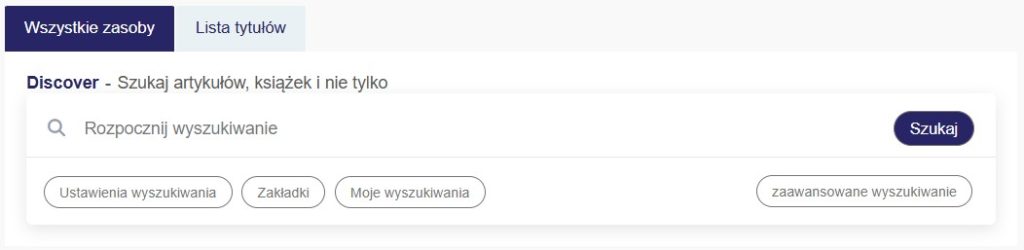
Basic search
The multi-search engine supports both the traditional method of constructing queries using keywords and semantic search.
Semantic search is an intelligent search method that goes beyond keyword matching to focus on understanding the meaning, context, and user intent behind a query using artificial intelligence. This allows you to construct queries just like you would in a search engine like Google.
In the central search field, enter keywords or the phrase you are looking for and confirm with the search button.
Advanced search
Advanced search allows you to search with more specific criteria. Here, you'll find a query builder that allows you to define categories and use logical operators.
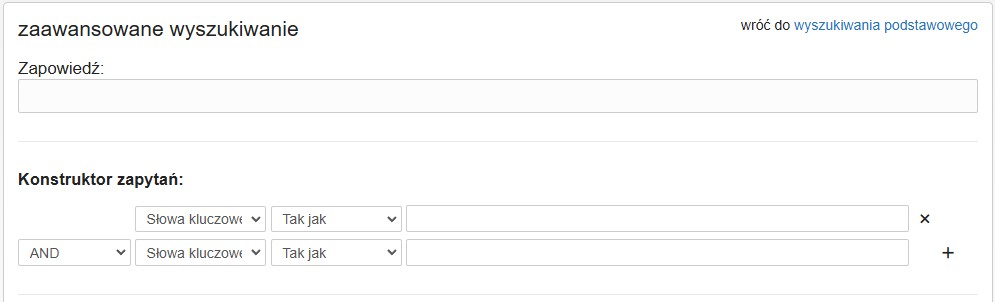
The Discover module searches multiple sources simultaneously and presents the results according to an algorithm relevance ranking, selecting the most relevant publications.
Search results
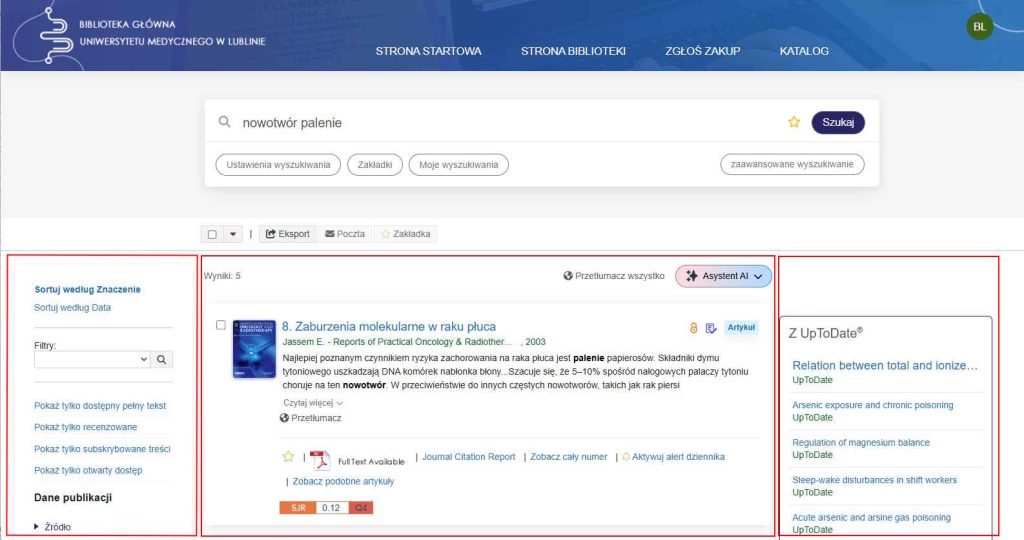
The results screen consists of three zones:
middle – search results,
left – filters (including peer-reviewed, full-text, data, resource/document type),
right – results from promoted resources – e.g. from the UpToDate database.
Available filters can be added and removed freely, and the results view refreshes automatically.
AI features in the Ovid Discovery Service multi-search engine
OvidDS offers AI-based tools that help you navigate the collected literature more quickly. Available search tools include:
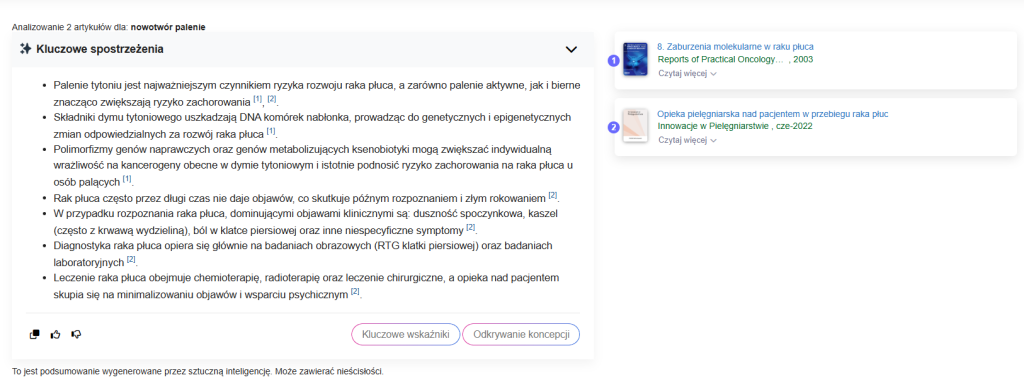
Key observations – AI summaries of articles
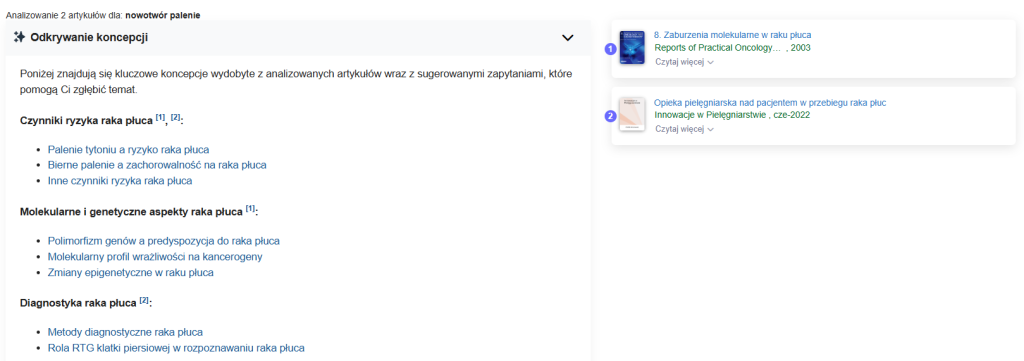
- Discovering the concept – suggestions for phrases to search for that may lead to another thread
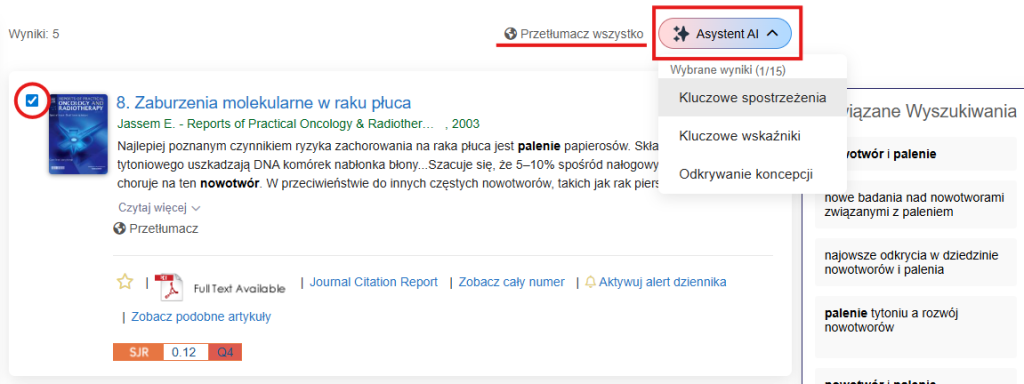
Enough mark one or more results to access AI options: Key Insights, Key Metrics, and Concept Discovery, available under the “AI Assistant” button.
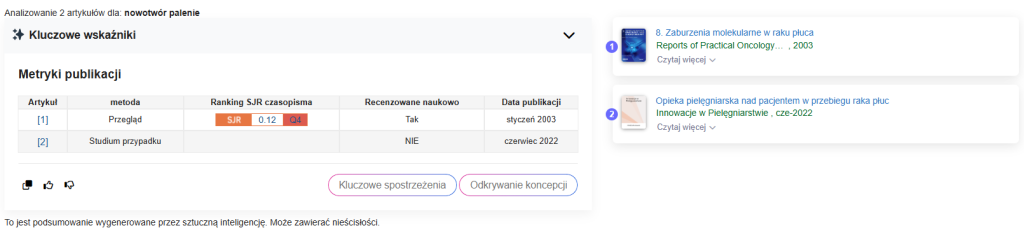
Key metrics will show SJR, quartile and other useful information.
There is also a button below each search result to translate the abstract into the preferred language set in your account.
Saving searches and email notifications
One of the most important features of OvidDS for researchers is the ability to automatic monitoring of the research topic.
After saving the query, you can specify the frequency of receiving email notifications about new publications: daily, weekly, monthly.
Notifications are sent to the address entered in the user's profile. This is ideal for those conducting systematic literature reviews or preparing publications.

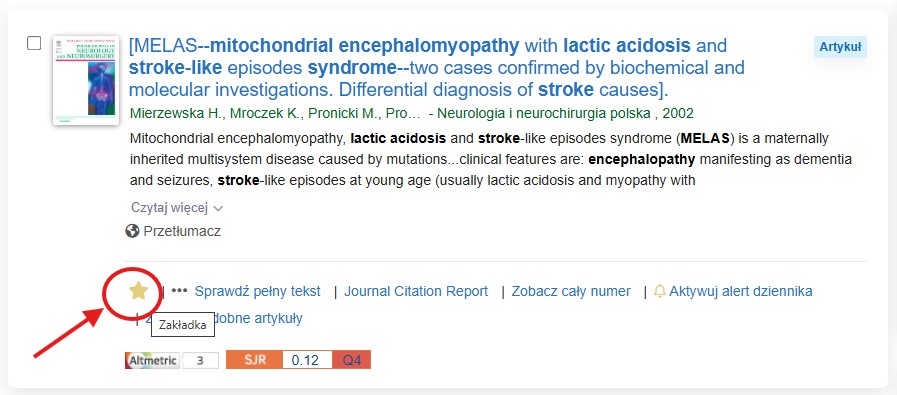
To save the search, click the star.
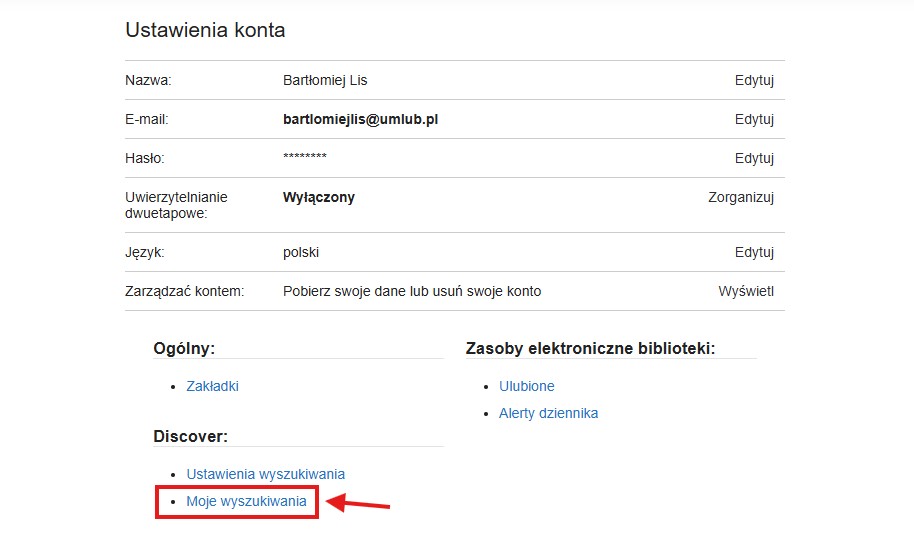
Recent and saved searches can be found in the "My Searches" section of your account settings. (Top right – icon with initials -> Account)
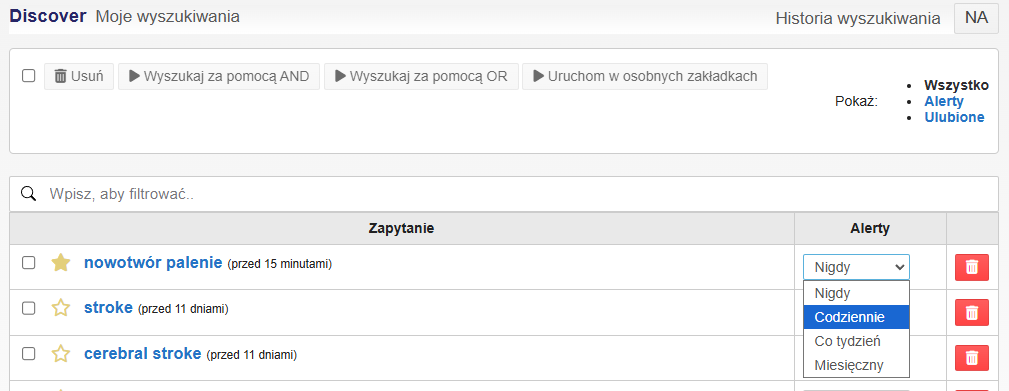
In the Alerts section, select the frequency. On the "My Searches" page, you can also combine multiple searches using Boolean operators or quickly open them in new browser tabs.
Bookmarks - saving articles
Any article you find on Discover can be add to bookmarks, and then organize them into folders and subfolders in any order you like.
The system allows you to export (download) selected items, send them by e-mail (yours or someone else's), or delete with one click.
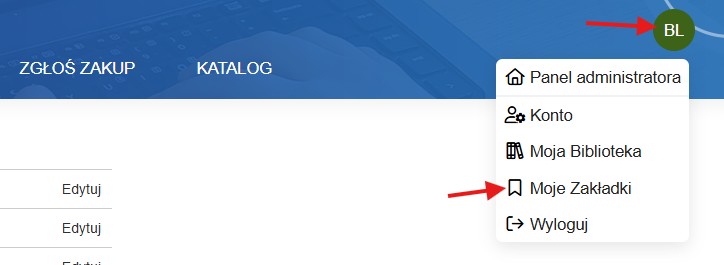
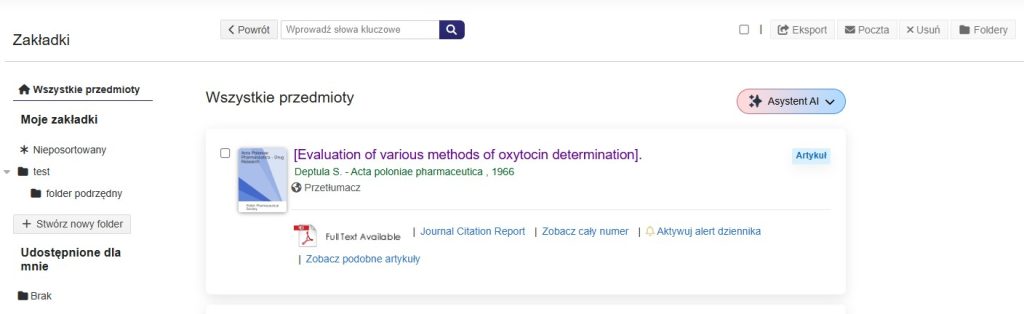
Options to export, send by email, and remove from bookmark list are visible in the upper right corner of the last screenshot.
Resource Finder - A-Z Resource List
A-Z Resource List covers all resources provided by the university.
You can search by journal/book title, ISBN/ISSN number or browse by letter.
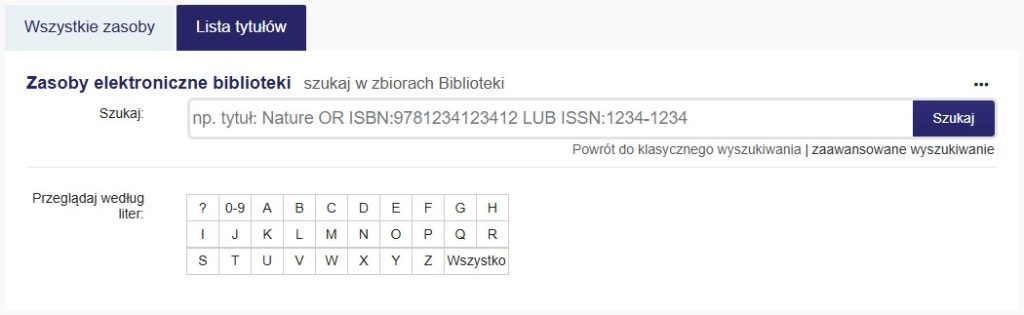
Magazine alerts – current information about new issues
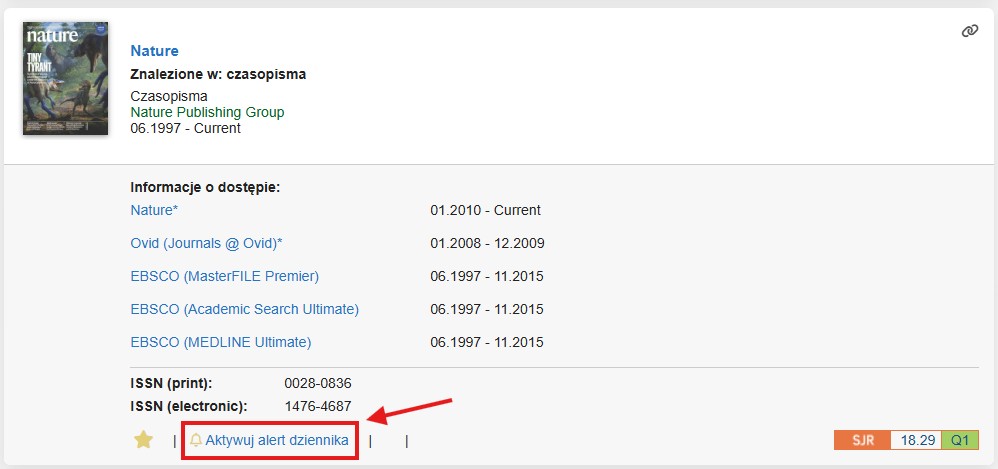
In OvidDS you can enable magazine alertsUnder the journal you're searching for, select "activate journal alert." When a new issue of the journal is published, you'll receive an email notification.
Journals saved to your favorites can be found in the Account: Library Electronic Resources: Journal Alerts section. You can unsubscribe from an alert with a single click.
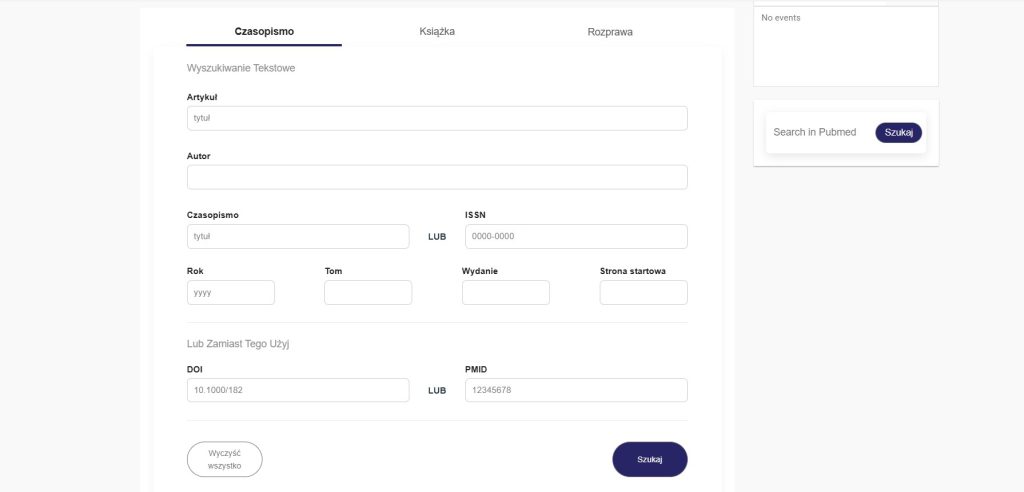
Precise bibliographic matches (Citation Matcher)
The Citation Matcher tool allows you to find full text based on bibliographic data:
authors,
title of the article,
title of the magazine,
year,
volume,
number,
pages.
This is a quick way to find a specific, well-known publication.